Bezal for WooCommerce
Seamlessly integrate multi-courier shipping rates into your WooCommerce checkout. Display real-time rates from Posta, Nation, Jumia, G4S, Fargo, Ena, Easy, The Guardian.etc, and more — directly in WordPress.
Download WooCommerce Plugins
Compatible with WordPress 5.8+ and WooCommerce 6.0+
Download Rates Plugin (.zip)Plugin to show courier information.
Download Towns Plugin (.zip)Plugin to show Kenyan towns selection.
All Plugins Verified & Signed | Free Updates.
Plugin Configuration Guide
Follow these 3 simple steps to integrate Bezal rates into your WooCommerce store
Install & Activate Plugin
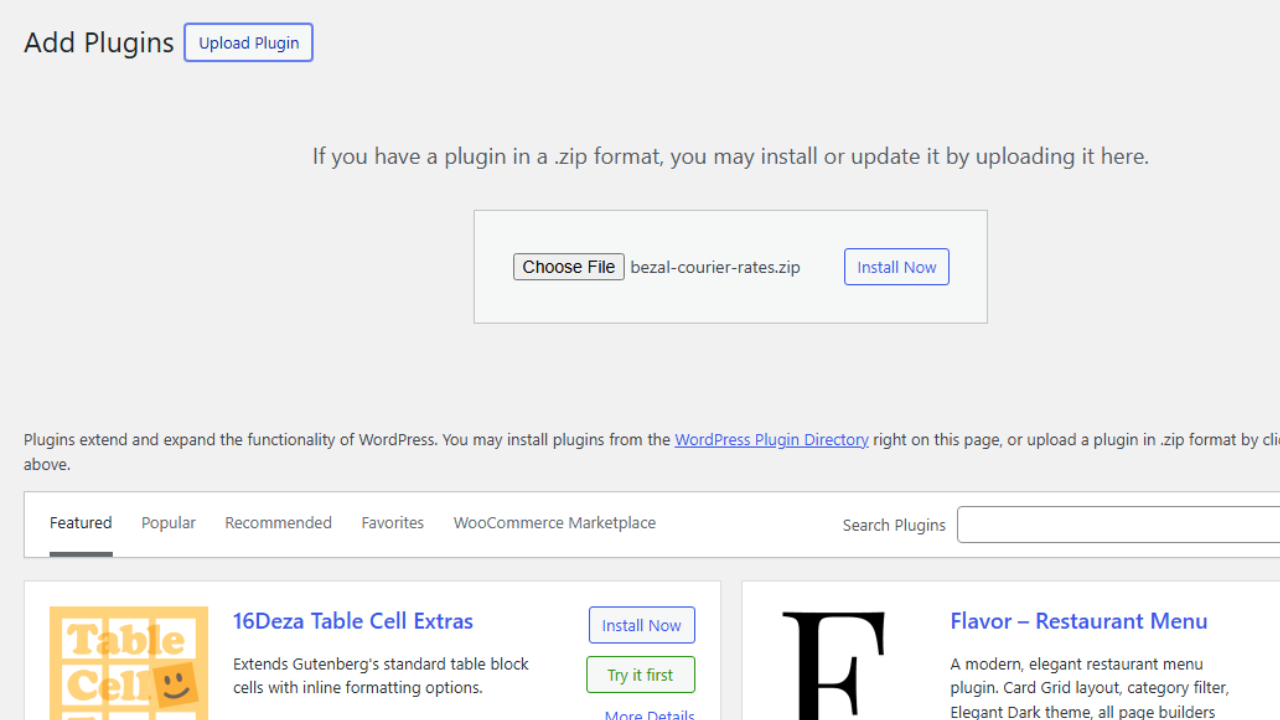
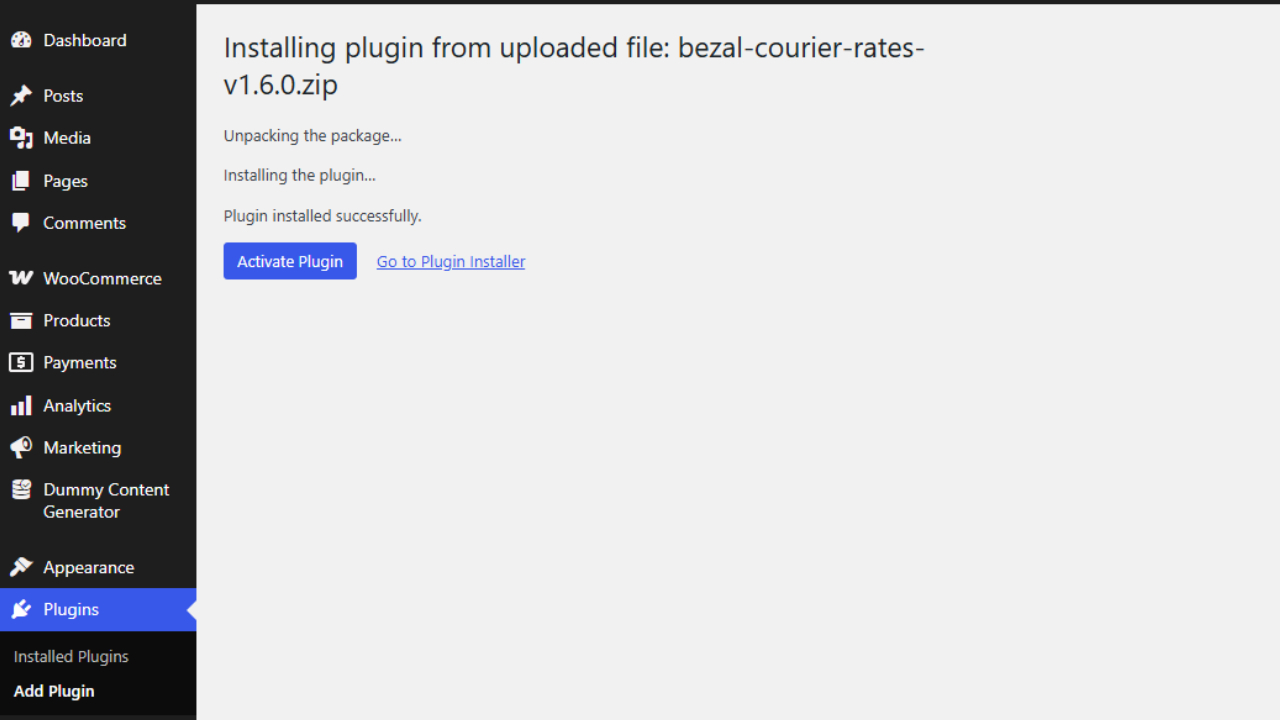
After downloading the Bezal WooCommerce plugin ZIP file, navigate to your WordPress admin dashboard → Plugins → Add New → Upload Plugin. Select the downloaded ZIP file and click "Install Now", then activate the plugin.
Enter API Credentials
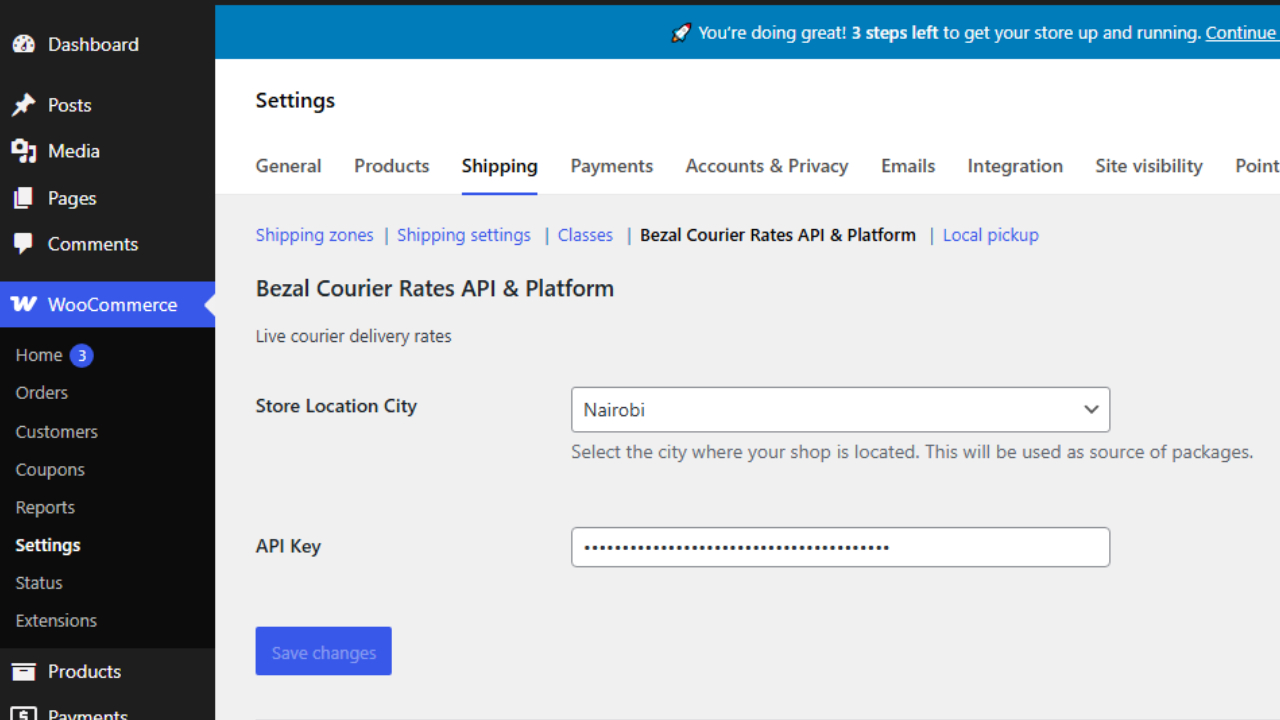
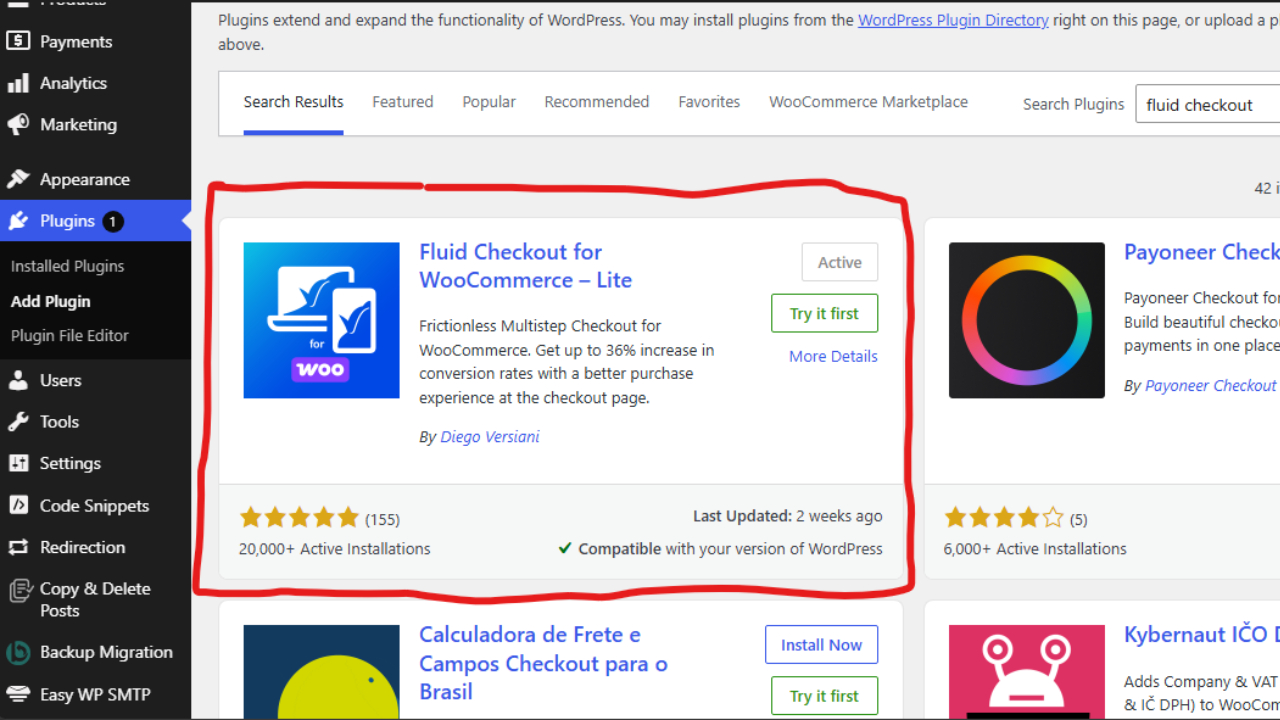
Go to WooCommerce → Settings → Shipping → Bezal Courier Rates API. Enter your API Key from your Bezal dashboard. Select your default store location city then Also Install Fluid checkout Woo plugin for the city selection to work.
Test Checkout Experience
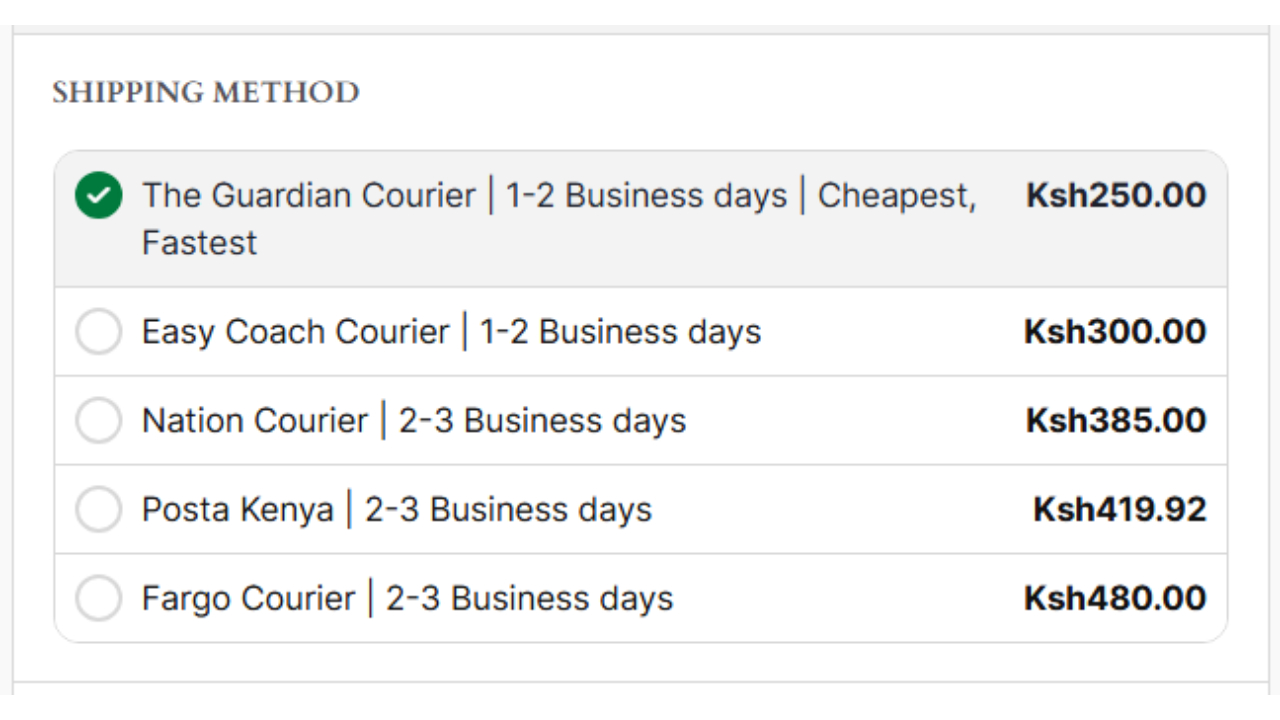
Visit your store's frontend, add a product to cart, and proceed to checkout. You should see real-time shipping rates from different carriers displayed dynamically based on customer's town/city.